
UHDPro 2 CECImagen del producto próximamente
UHDPro 2 CEC
Reproductor multimedia 4K para señalización digital con control de pantalla por HDMI-CEC, listo para Hubble 3.
170,00 GBPIVA incluido
Nos gustaría usar cookies analíticas de Google Analytics y PostHog para entender cómo se usa nuestro sitio web y así poder mejorarlo. Solo las usaremos si las aceptas. Cómo usamos las cookies
Has aceptado las cookies analíticas.
Has rechazado las cookies analíticas.
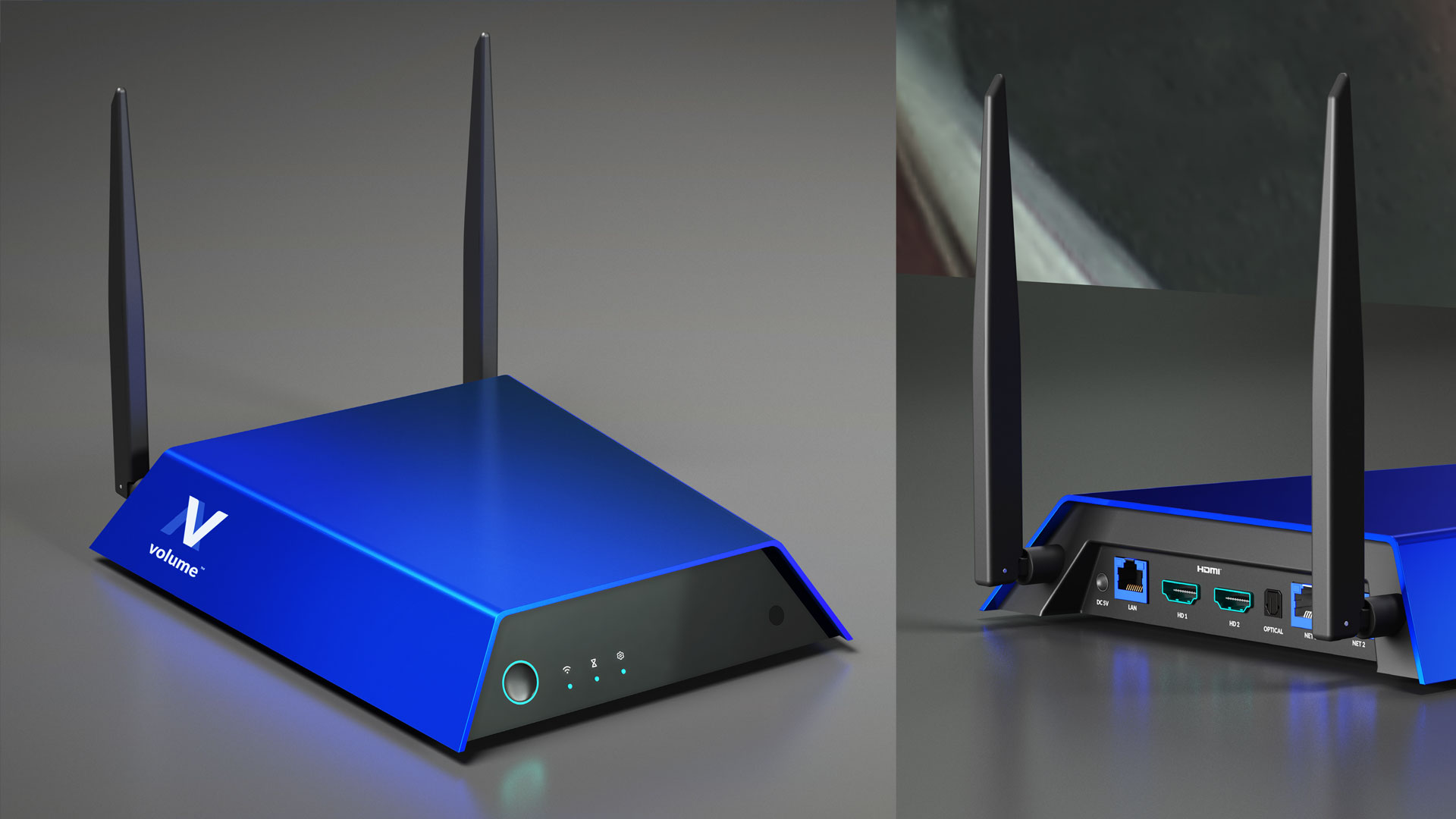
Reproductor multimedia Relay
Relay es el nuevo reproductor multimedia de Volume, diseñado para funcionar a la perfección con Hubble 3. Ofrece a las redes una reproducción fiable, gestión remota y soporte para contenido de hasta 4K HDR que puede mantenerse sincronizado entre varios reproductores.
Conecta Relay a Hubble 3 para gestionar las pantallas a distancia.
Reproduce contenido de alta calidad hasta 4K HDR, con una amplia gama de códecs.
Sincroniza la reproducción entre varios reproductores para montajes coordinados.
Tienda de hardware
Pide directamente nuestros reproductores consolidados, con pago seguro a través de Stripe y envío a tarifa plana al Reino Unido y la UE.
Reproductor multimedia 4K para señalización digital con control de pantalla por HDMI-CEC, listo para Hubble 3.
170,00 GBPIVA incluido
Pantallas, reproductores multimedia, soportes y componentes de red seleccionados para funcionar con fiabilidad en los lugares donde tus clientes realmente los ven.
Te ayudamos a evitar instalaciones infradimensionadas y redes demasiado complejas, ajustando los componentes al público, el entorno, el contenido y las necesidades de soporte.
Pantallas de interior, de escaparate, de alto brillo, táctiles y especiales, elegidas según la distancia de visión y el ciclo de uso.
Hardware de reproducción elegido por su rendimiento, facilidad de gestión, sistema operativo, carga de contenido y soporte remoto.
Opciones de montaje en pared, techo, de pie, en kiosco y a medida, planificadas pensando en la seguridad y el acceso para mantenimiento.
Requisitos de red, alimentación, cableado y periféricos planificados antes de que los equipos de instalación lleguen al local.
Entrega estructurada en el local, con comprobaciones de colocación de pantallas, reproducción, conectividad y acabado físico.
Unidades de repuesto, planificación de renovaciones, gestión de garantías y vías de sustitución reducen el tiempo de inactividad en toda la red.
Cada pantalla está en un contexto físico. Planificamos teniendo en cuenta la luz, el espacio, el acceso, las limitaciones de red y el soporte a largo plazo.
Revisamos las condiciones del local, la infraestructura existente, los objetivos de contenido, los puntos de montaje y las limitaciones operativas.
La lista de materiales se ajusta al entorno, el uso previsto, el modelo de servicio y el presupuesto.
Los equipos de instalación siguen un alcance claro, con comprobaciones de posición, alimentación, red, reproducción y entrega.
Registros de hardware, garantías, repuestos y vías de soporte hacen que la red sea más fácil de gestionar tras el lanzamiento.
Podemos ayudarte a especificar y desplegar una red de pantallas fiable, desde una sola ubicación hasta un despliegue nacional.